Organize Papers and Notebooks on a Small Desk
Separate active notes from reference storage, choose the right paper format, and keep important originals protected.
Paper is not automatically clutter. A notebook can be the fastest place to capture a thought, and a printed document may be the easiest thing to review. Problems begin when active notes, reference pages, old receipts, and important originals all share the same small stack.
A useful system separates what you need today from what you need to keep. It should also recognize that an ordinary working notebook and an irreplaceable document need different storage. Start with a few clear destinations, then choose the organizer that fits them.
Before you choose
- Keep current work close and move completed material into separate storage.
- Check actual paper dimensions rather than relying on a generic document-size label.
- Use suitable enclosures for important originals and a reliable review routine for daily paper.
Create three destinations for incoming paper
Give new paper a simple decision: action, reference, or appropriate disposal. Action means a specific task remains, such as reviewing a form or recording a note. Reference means the information has a known future use. A page kept only because deciding feels inconvenient is likely to remain in the working area indefinitely.
Use one small in-tray for material that has not yet been processed, and review it on a schedule that suits the volume. Do not let every shelf become another inbox. CCOHS housekeeping guidance emphasizes planned storage and ongoing attention; limiting the number of temporary locations makes that principle practical at a small desk.
Choose a format that matches the paper you use
US Letter and A4 are different sizes, and neither label guarantees that a tray has enough usable clearance for folders or protruding tabs. Measure the largest active document and its enclosure. A vertical file saves desktop depth but needs enough height and stable support to prevent thin folders from bending or falling over.
A flat tray suits pages you need to review frequently and can keep a current project together. It can also hide lower pages under newer ones. Use labeled folders or dividers when that becomes a problem. Avoid overly narrow slots that require folding papers you intend to retain in good condition.
Give notebooks a beginning and an end
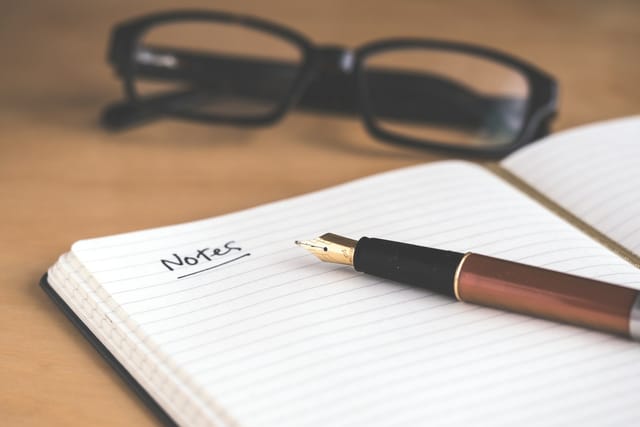
Keep the notebook you are actively using within reach and store completed ones elsewhere. Mark a notebook with a date range or project name so you can find it again without reading every first page. A short index at the front or a few labeled page markers may be enough; elaborate indexing is useful only if you maintain it.
If you use several notebooks, distinguish their purpose clearly. One for daily notes and one for a long-running project is easier to manage than three interchangeable books. When a notebook ends, review outstanding actions before archiving it. That prevents a completed book from remaining on the desk simply because one unresolved task is buried inside.
Protect originals separately from working copies
Important originals should not spend their life under a coffee cup or alongside leaking pens. The National Archives recommends storage away from damp spaces, leaks, food, and water. It also recommends containers that fit the originals without bending, using appropriate acid-free or buffered materials for papers being preserved.
Everyday organizers are not necessarily archival enclosures. Check the material specifications when long-term preservation matters. Keep confidential documents according to their sensitivity and any applicable workplace requirements. A decorative desktop file may be convenient for a current printout while being unsuitable for an original certificate or a private financial record.
Digitize with a retrieval plan
A scan can make reference material easier to search and reduce the number of working copies on the desk. Use a consistent filename that includes enough context to find the document later. Check that every page is captured, readable, and in order before treating the scan as a useful reference. Keep a suitable backup of important digital files.
Do not assume a scan means the original can be discarded. Retention requirements differ by document and situation. Decide what must remain on paper, then store it appropriately away from the active workspace. Once a week, move completed work out of the current tray and return the desk to the documents you are actually using.
Options for the way you work
These are product types to compare, not hands-on test winners. Each link opens a retailer search where you can check current specifications, availability, and seller terms.
Stable vertical file with wide slots
Best for: A small number of labeled folders that need to remain visible on a shallow desk.
The tradeoff: Thin papers need folder support, and tall files may block a screen or light.
Check current options (opens a new tab)Shallow stackable paper trays
Best for: Current printouts separated into a small number of clearly defined stages.
The tradeoff: Stacking can hide lower contents and consume more height than expected.
Check current options (opens a new tab)Appropriately sized archival document folders
Best for: Important paper originals intended for longer-term preservation.
The tradeoff: Material specifications matter, and preservation storage still needs a suitable environment.
Check current options (opens a new tab)A few common questions
Is a vertical organizer always better for a small desk?
No. It saves some surface area but requires height, stability, and access. A shallow flat tray may work better beneath a screen or for pages reviewed frequently.
Can I discard a document after scanning it?
That depends on the document and any legal, tax, employment, or personal requirements. A readable digital copy is useful, but it does not automatically replace the need to retain an original.
How many notebooks should stay on the desk?
Keep the ones that have a current role. Move completed or occasional notebooks into labeled storage, after transferring any unfinished actions you still need to track.
Sources & further reading
Published references used to inform this guide. Product requirements can change; check the documentation for your exact equipment.
- National Archives: Storing papers and photographs
- CCOHS: Workplace housekeeping
- National Archives: Preserving family papers
This article does not claim laboratory testing or personal ownership of the products discussed. Send a correction.